Brewing
Steaming along
While you focus, it stays warm and whistles the moment the brew is done.
Task-linked time tracking for freelancers. Pick a task, hit start, and every minute locks to the work — ready to bill at the end of the week.
Session 2 of 4
No stopwatch guesswork. Pick the task, let the kettle boil, and the time locks itself to the work.
Choose what you're working on. The timer attaches to that task, not a blank stopwatch.
Watch your focus session count down. Close the app, switch devices. Your progress keeps ticking in the cloud.
When the brew is done, the minutes seal to the task. No guessing, no backfilling, no rounding up.
Guessed timesheets quietly cost you money and trust. Kettles fixes the leak at the source. No boxes, just an honest record.
Underbilling
Forgotten minutes are unpaid minutes.
The distraction tax
A guessed timesheet is a story, not a record.
Broken self-trust
A log you don't trust is one you stop opening.
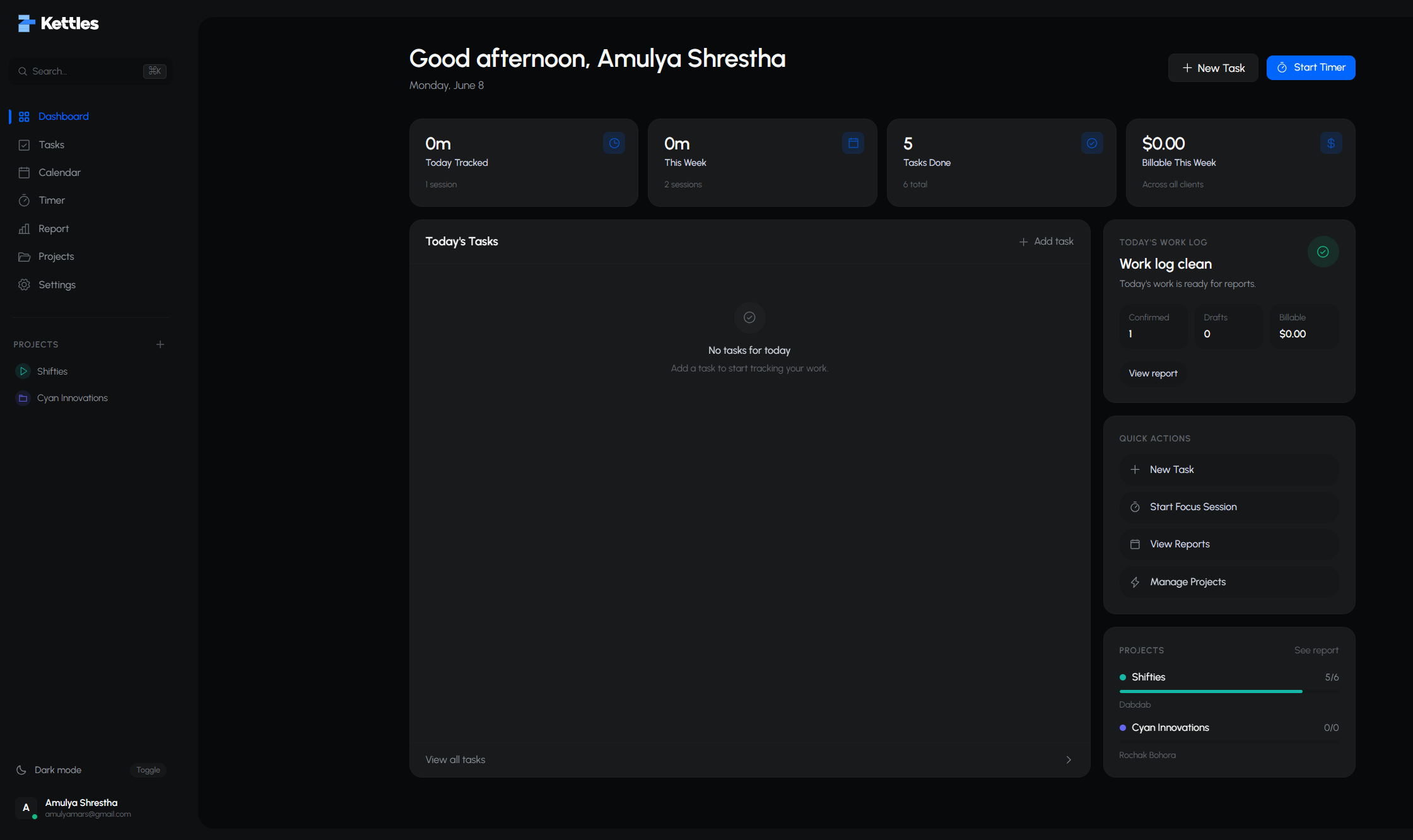
This is the actual dashboard — tasks, brews, and billing already agreeing with each other.
Your kettle stays warm while you work, whistles when a brew is done, and wanders off when you go cold. Keep your streak. Keep the kettle on.
While you focus, it stays warm and whistles the moment the brew is done.
On a break, it cools down quietly. No alarms, no nagging.
Go quiet too long and it wanders off. Start a brew and it comes right back.
Flowmate's pet is an always-on-top overlay window that floats above your editor and design tools. It reacts to your timer lifecycle, accepts mouse pokes, and displays quick action chips.
Settles into a focused working loop without visual distraction while work is underway.
Integrated directly with the host Tauri process for unobtrusive background operation.
Pins above code editors, terminals, and design tools via petOpen.
Enable petSetClickthrough for zero mouse obstruction while typing.
Hover acknowledges, single click waves, and double click jumps.

Built-in artwork triggers during milestone achievements and encouraging breaks.
The pet communicates status, break reminders, and task prompts using floating speech bubbles styled by quote kind.
"Ready for a 25-minute deep focus block?"
No screenshots. No keystroke spying. No productivity scores. Just an accurate time record you own.
Full details are in our Privacy Policy and Terms of Service. Both are public — no login required.
Built for freelancers and small teams who bill real hours, not guessed ones.
“Once you experience using Kettles to track your work, there is no going back.”
Every brew attaches to a task, so the weekly report is ready to bill without reconstruction.
Sessions sync to the cloud. Close the browser, switch devices — the brew keeps ticking.
Track every client and the whole ritual at no cost while Kettles is in beta.
No client limits, no feature gates.
No card required · no trial clock
Straight answers about task-linked time, sync, and privacy.
Task-linked. You pick a task first, and the time you brew is sealed to it. That's what makes your weekly report accurate enough to invoice without second-guessing.
Drop your email and pick up in the app. Every minute from here brews into a record you can bill.